
Tree
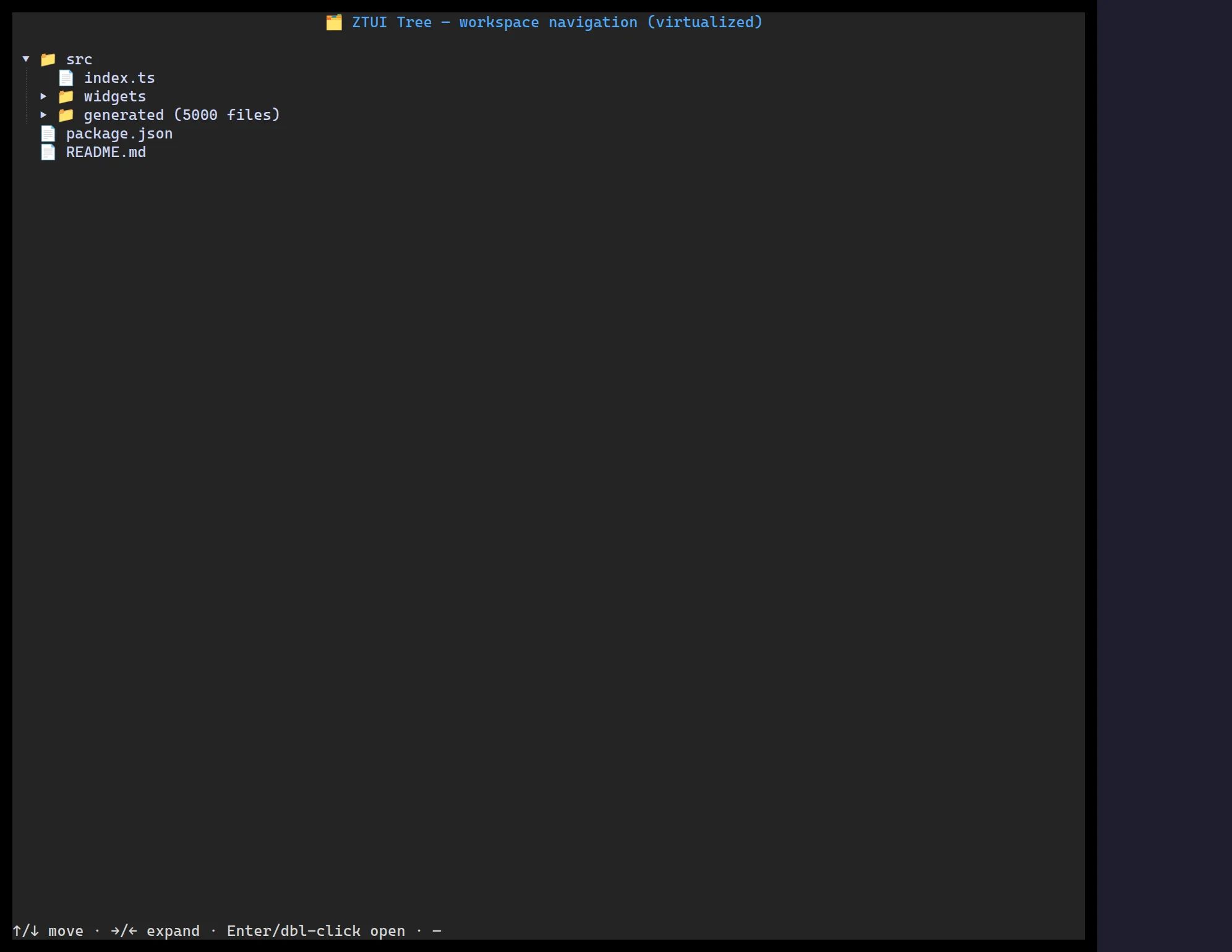
<Tree> flattens only the expanded nodes into a row list (collapsed subtrees
cost nothing) and renders only the visible window, so it scales to large, deep
trees. Input is a forest (TreeNode[]), so a flat top level needs no synthetic root.
import { Tree } from "@huyz0/ztui/react";
const data = [  {    id: "src",    label: "src",    children: [      { id: "src/app.ts", label: "app.ts" },      { id: "src/ui", label: "ui", children: [{ id: "src/ui/box.ts", label: "box.ts" }] },    ],  },];
<Tree data={data} showGuides onSelect={(node) => console.log(node.id)} />;
Key props
Section titled “Key props”data—TreeNode[]({ id, label, icon?, children? }), a forest.hideRoot— promote a single root’s children to the top level.expanded/onExpandedChange— controlled expansion, or let it manage internally.selectedId·onSelect·onActivate·onToggle.showGuides/guideColor— indentation guide lines.
Interaction
Section titled “Interaction”↑/↓ move selection · →/← expand/collapse (or step in/out) · Enter/Space
toggles · click the arrow to toggle, the row to select.
File tree from a directory listing
Section titled “File tree from a directory listing”buildFileTree bridges a plain directory listing into TreeNode[] for
<Tree> — sorting directories first, then alphabetically, and picking an
icon per extension (with dedicated icons for test files). It stays I/O-free:
you supply the listing (from fs, Bun’s Glob, a remote API, …), it only
shapes the data.
import { buildFileTree, type FileEntry } from "@huyz0/ztui/core";import { Tree } from "@huyz0/ztui/react";
const entries: FileEntry[] = [  { name: "src", isDirectory: true, children: [{ name: "app.ts", isDirectory: false }] },  { name: "package.json", isDirectory: false },];
<Tree data={buildFileTree(entries)} showGuides />;
For a directory whose children haven’t loaded yet (lazy loading), omit
children and set hasChildren: true — <Tree>’s onToggle fires on
expand, so you can fetch and merge the real children in then.