
Chat Input
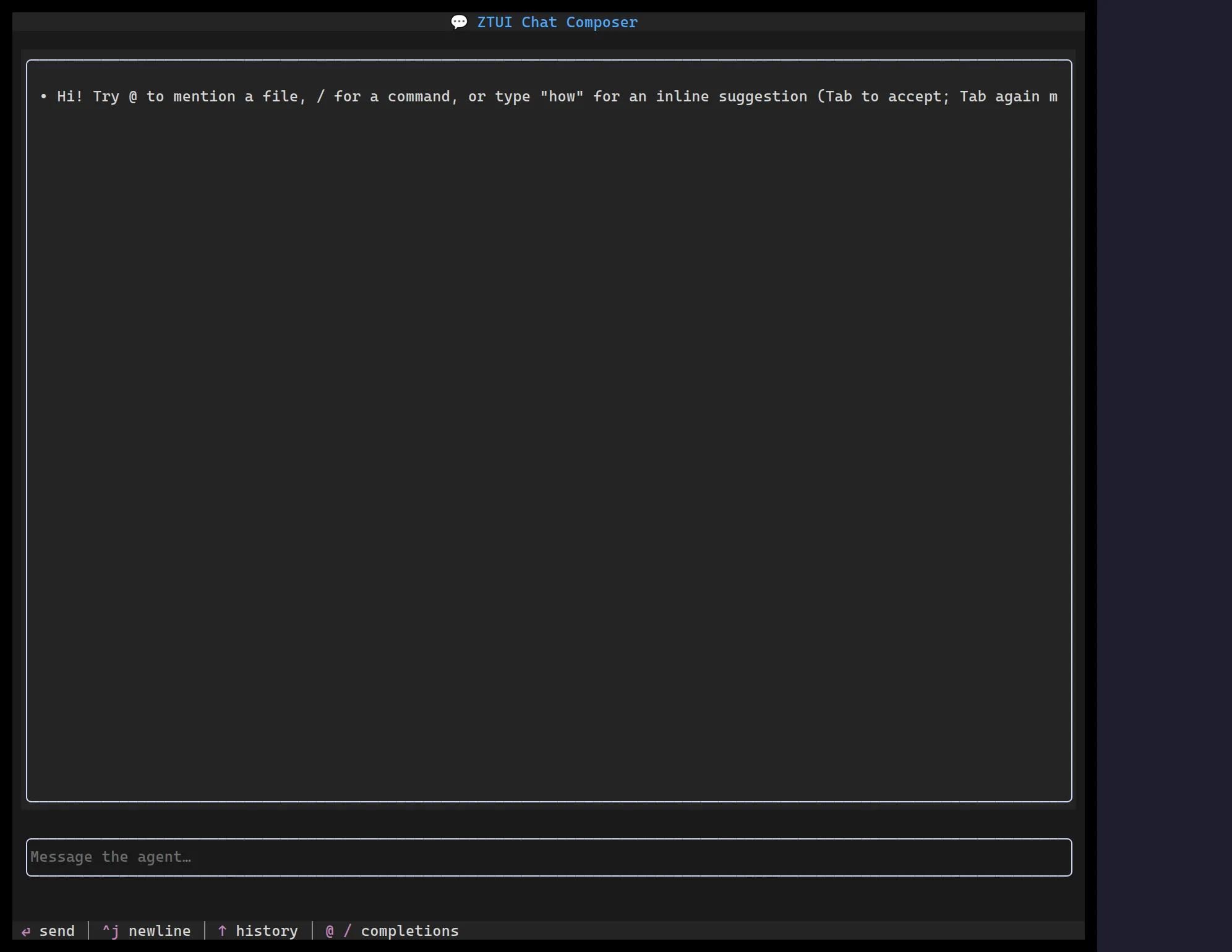
<ChatInput> is a chat composer built for AI-agent interfaces. It owns its own
edit buffer (so it works with any state-management approach, not just React),
auto-grows with content, and sends on Enter (Shift+Enter inserts a newline). On
top of plain text it adds atomic inline chips, character-triggered
completions, app-provided ghost-text autocomplete, history recall,
undo/redo, an attachment strip, and an in-border send/stop affordance driven
by a busy flag.
import { useRef, useState } from "react";import { ChatInput } from "@huyz0/ztui/react";import type { Completion, Trigger } from "@huyz0/ztui/react";
function Composer() {  const [busy, setBusy] = useState(false);  const history = useRef<string[]>([]);
  const mention: Trigger = {    char: "@",    getCompletions: (q) =>      files.filter((f) => f.includes(q)).map((f): Completion => ({ label: f, detail: "file" })),    onAccept: (c) => ({ kind: "chip", token: { label: c.label, kind: "file", payload: c.label } }),  };
  return (    <ChatInput      placeholder="Message the agent…"      busy={busy}      triggers={[mention]}      getHistory={() => history.current}      onSubmit={(value, attachments) => {        history.current.push(value);        setBusy(true);        // …kick off the agent turn, clear busy when it replies      }}      onInterrupt={() => setBusy(false)}    />  );}
Key props
Section titled “Key props”value/onChange— controlled text (settingvaluedoes not re-emitonChange).placeholder— hint shown when empty.busy/onInterrupt— show the in-border stop affordance while the agent generates; Esc or the stop glyph callsonInterrupt.onSubmit(value, attachments)— called when the user sends a turn.submitMode—"enter"(default) or"modifier-enter"(Mod+Enter sends).triggers— character-triggered completion sources (e.g./commands,@mentions). Each resolves to inserted text, an atomic chip, or a command.commands— keybinding/palette commands surfaced through the composer.suggestionProvider— app-provided inline ghost-text autocomplete (a dim suffix with a→marker); accept key set byacceptSuggestionKey("right"default,"tab", or"ctrl-e").getHistory/historyEdge— Up/Down history recall;"bump"(default) only recalls at the true buffer start/end,"row"recalls anywhere on the first/last row.minRows/maxRows/softWrap— auto-grow bounds and wrapping.chipStyle—"fill"or"bracket"chip rendering.onHintsChange— emits the contextualChatHint[]; render it as a help line (seeformatChatHints).
Triggers and chips
Section titled “Triggers and chips”A Trigger turns a character (like / or @) into a completion popup, and
its onAccept decides what the accepted item becomes — plain text, an atomic
chip (selected, deleted, and caret-skipped as one unit), or a command.
This keeps slash-commands and @mentions as data rather than hardcoded paths.
serialize controls how a chip flattens into the submitted string.
Selection, clipboard (mouse drag, Shift+Arrow, Ctrl+A), and copy/paste behave
consistently with Input and Text Area.